

Source Section
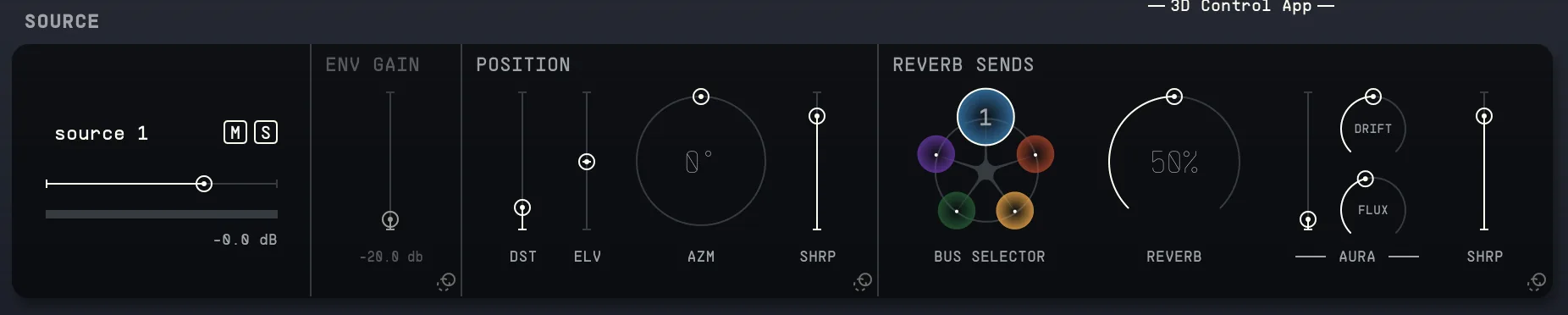
14.1Source Input
A dedicated view of the source selected in the Sources Pane. Access the main controls (Gain, Solo, Mute, Level meter).
14.2Envelope Follower Gain
If an envelope follower modulator is routed to this source, this control serves as gain adjustment for that given modulator. Adjusting this does not change the actual output volume of the source, but the gain of the key/parallel signal going to the envelope follower. In the modulator window, you can see how this will affect the resulting modulation.
The envelope follower has to be assigned to a track and assigned to modulate a parameter. Only then will the gain be available for modification.
14.3Bus Selector
Select which bus you want the selected source to go to (1-5). To disable the reverb sends for a specific source, you can click once more on the bus number to disable it. This will allow you to still use the spatializing capabilities for the Source position, but without any reverb.
14.4Source Position
Adjust the selected source's distance, elevation, and azimuth.
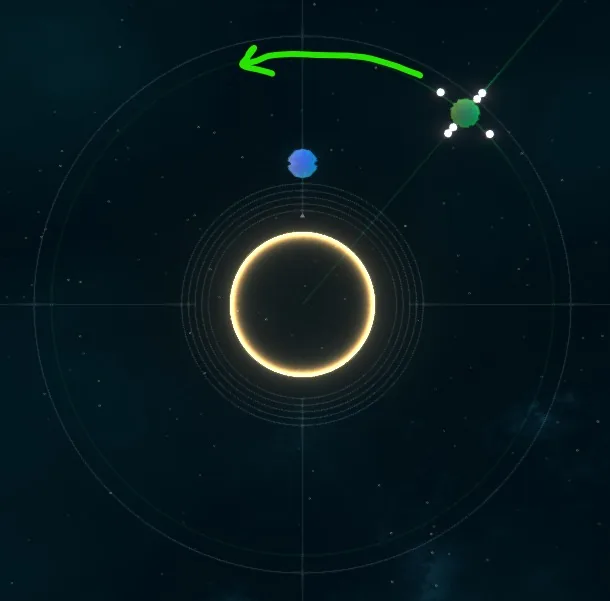
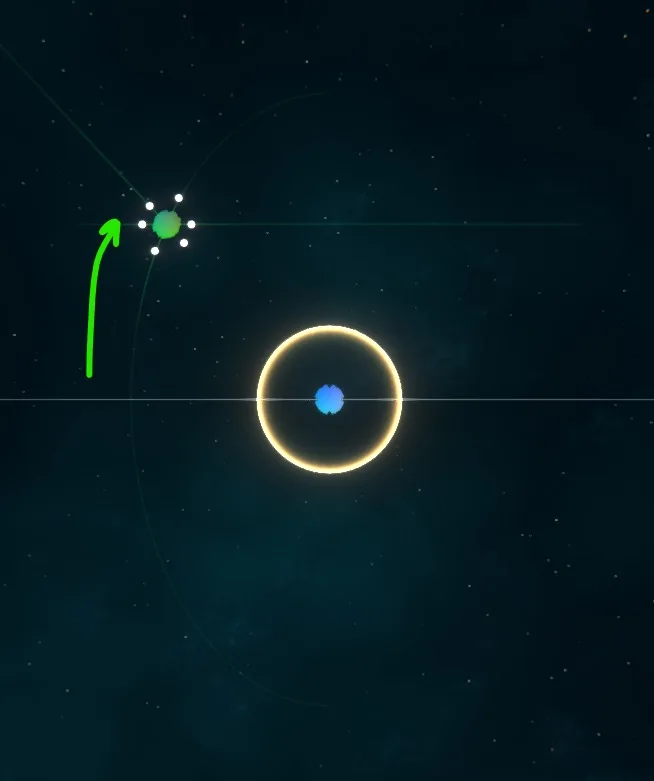
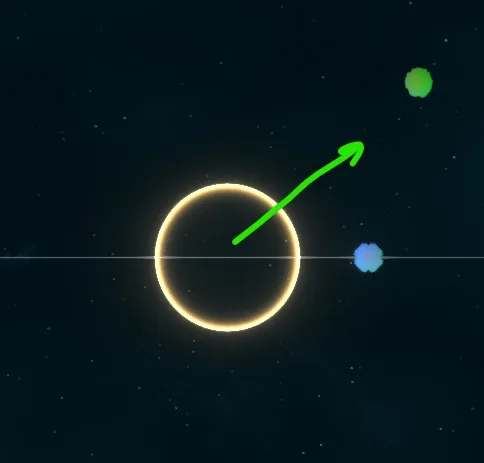
- Distance: Diameter around the listener position. At a larger distance the source will appear quieter.
- Elevation: Vertical angle from the listener position and plane. Note that when elevation is at its maximums (top and bottom), the azimuth won't affect it anymore, as its position is right above or below the listener.
- Azimuth: Horizontal angle around the listener position.
- Sharpness: Spatial definition/blur of your source in the space. If you want it to be a point source, leave the fader at the top (most sharpness), if you want it to rather be spread across the entire sound field, bring the fader down.
14.5Source Sends
Adjust how the level of the selected source is sent to the Reverb and the Aura. For the Aura, it is also possible to adjust Drift and Flux, which control the depth and rate of the Aura response, respectively. When Drift and Flux are set to zero, the Aura is not modulated.
The Aura control (directional warping) reshapes the acoustic characteristics of spaces by warping their spatial responses in time-varying directions through multiple adaptive beamformers responsive to input source energy distribution. It does this by adjusting the direction and timing of sound so it feels different depending on what's playing and where the sound comes from. It reacts in real time to make the Space sound more natural or interesting.
The Aura has two additional controls, Drift and Flux, which change the depth and rate of the time-varying directional warping of the source into the reverb bus.
A Sharpness control is also provided for the reverb sends. This will allow you to control how defined or spread the projection of a source into the spatial reverb bus.