

Routing Matrix
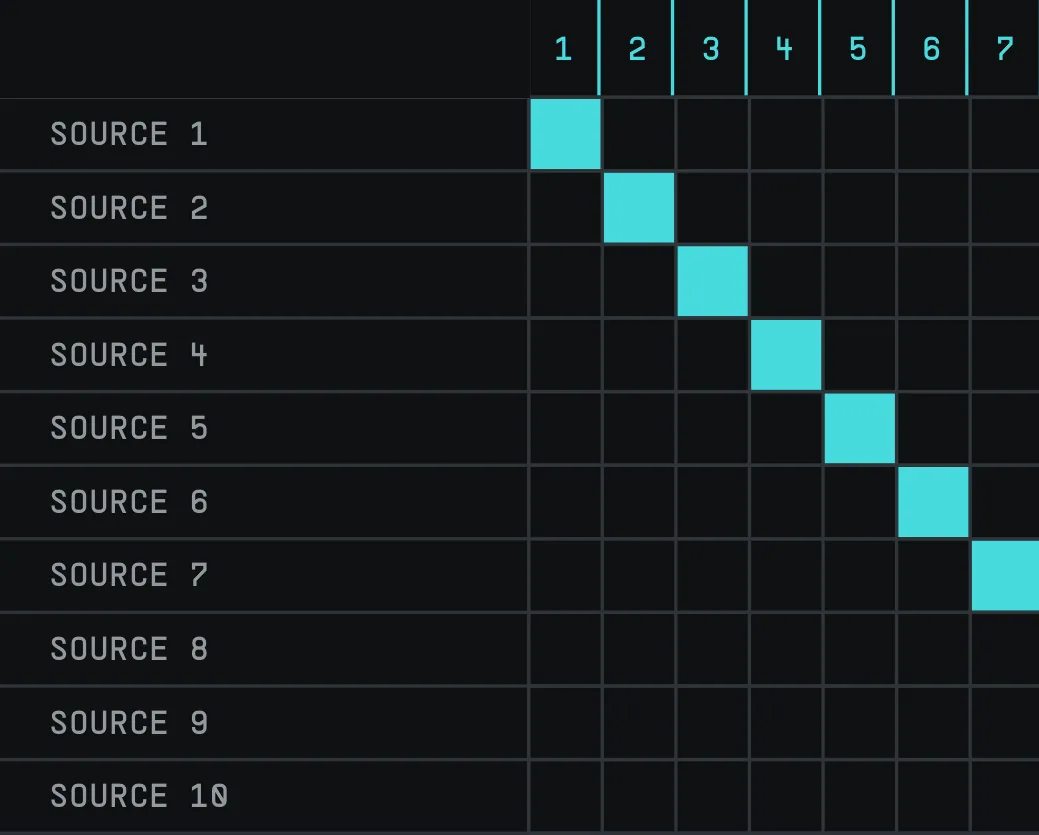
The Routing Matrix controls how audio channels are connected inside Living Sky. Each cell represents a connection from one channel to another. Click a cell to enable or disable a route, or click and drag to route multiple channels at once.
10.1Input Matrix
The Input Matrix defines how incoming audio channels are sent source inputs of the Living Sky processor. Use it to create standard, multichannel, or custom input routings.
10.2Output Matrix
The Output Matrix defines how the processed reverb signal is sent to the output of the Living Sky processor. Use it to distribute the processed audio across stereo, surround, immersive, or custom output formats.6
10.3Additional Options
Routing Drawing Mode changes the type of routing applied when drawing on the matrix. Each cell can be set independently to normal routing, phase inversion, attenuation, or gain.
Available cell states include Phase Invert, -3 dB, -6 dB, +3 dB, and +6 dB.
Right-click any cell in the Routing Matrix to access additional options:
- Init Routing restores the matrix to its default routing state.
- Clear Routing removes all routing connections from the matrix.
- Copy Matrix saves the current matrix configuration for quick recall.
- Paste Matrix loads the previously saved matrix configuration.
- Free Draw Mode allows faster manual drawing of routing connections across the matrix. When OFF (no circle in front of setting) the routing paths will be set once the mouse drag is released. When ON (circle in front of setting) the movements of the mouse will be saved directly on the matrix.